Waiter ordering app
Take orders from any phone. The kitchen gets them instantly.
Orders come in two ways. The guest scans the QR code on the table and orders on their own, or the server takes it on their phone. Either way, it goes straight to the kitchen and bar and is tracked all the way to payment.
Published
Inside the Zeat app
What changes on your floor
What you gain
More tables a night
Guests order without waiting for a server, and servers spend less time jotting orders and running tickets.
For servers
A dead-simple screen
They see the table to serve, then "Mark as served" and "Take payment". If your servers can use WhatsApp, they can use Zeat.
For the manager
Nothing served off the books
Every dish served comes from a recorded order, whether the guest or the server placed it.
Guests order from the table
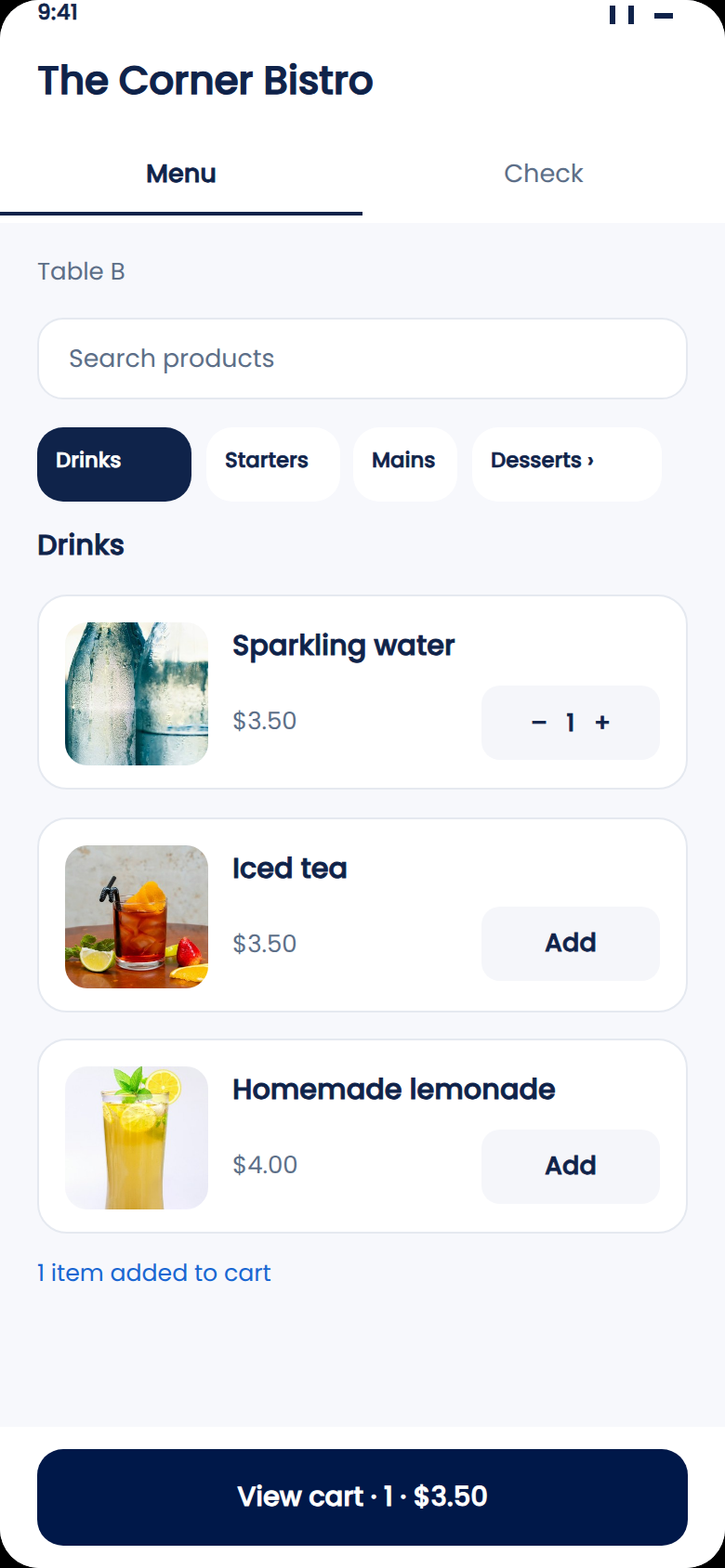
The guest scans the QR code on the table and the menu opens in their phone's browser, with photos of every dish. No app to download, no account to create. They pick what they want and send the order to the kitchen.
Guests wait less, and the photos tempt them to add a drink or a dessert.
Servers ring it in on their phone
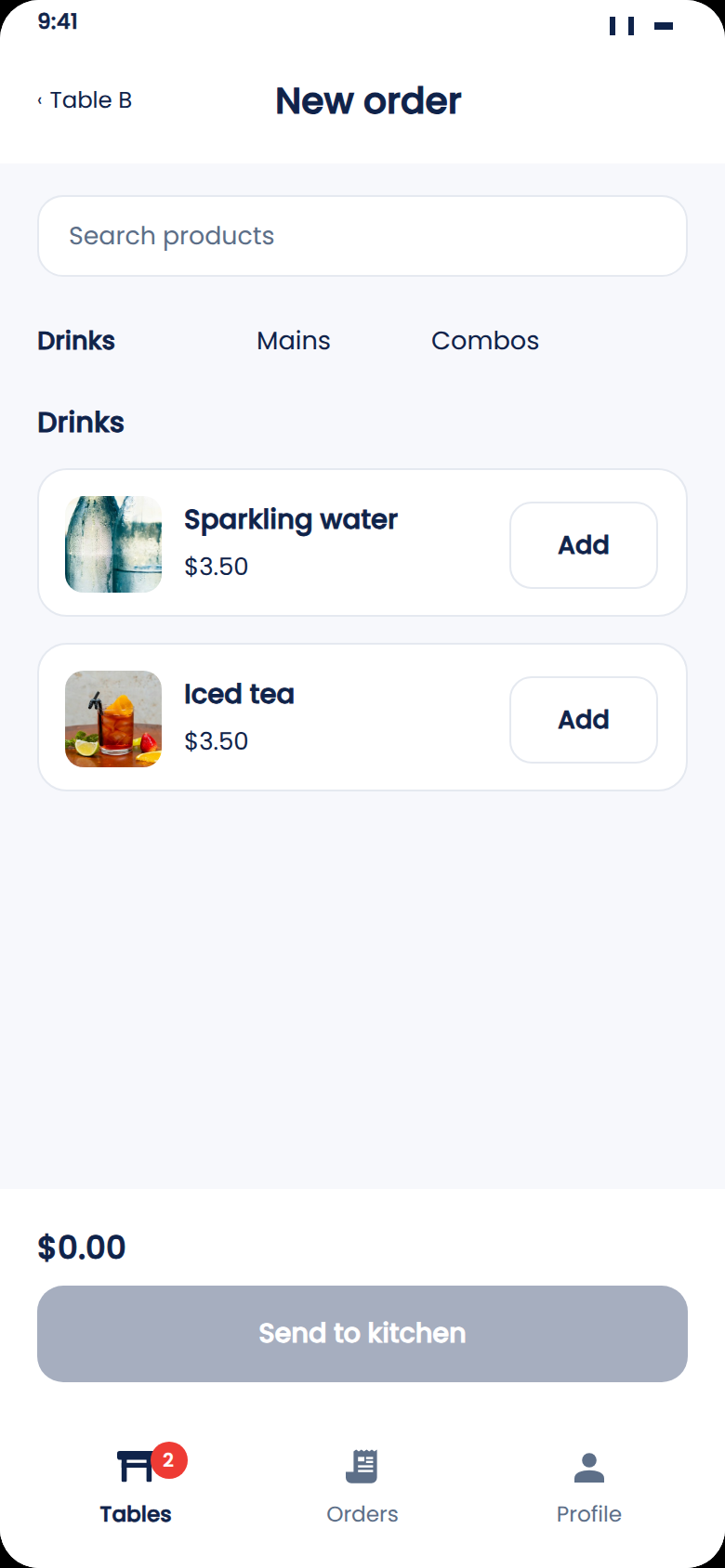
Guest prefers to order with a server? The server opens the table and taps "New order". They search for items or browse by category, add them, then tap "Send to kitchen". The order is tracked exactly like one placed by a guest.
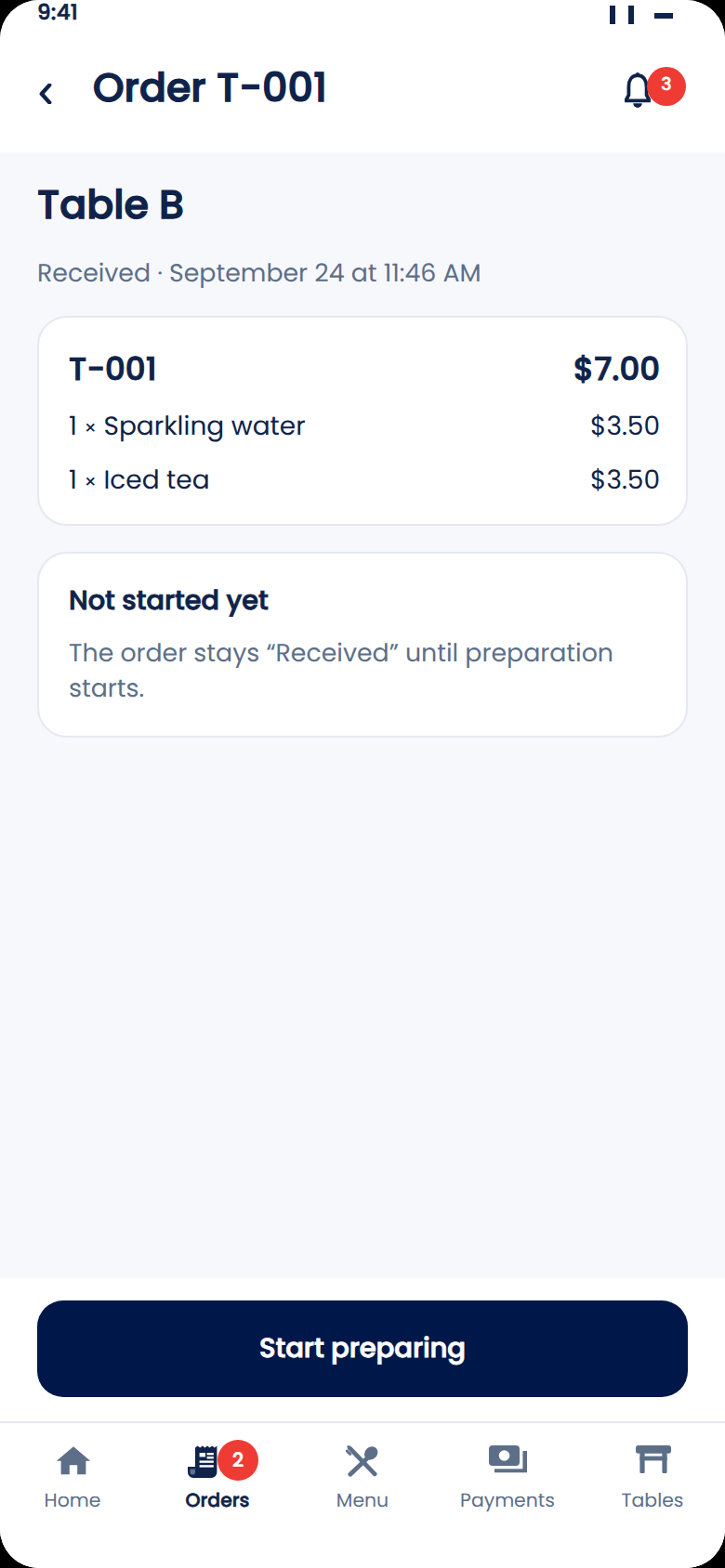
The server's screen only shows what they need to do right now: the table to serve, "Mark as served", "Take payment". The next tables line up below.
The right access for every role
Everyone on your team gets their own access: servers and the register on one side, kitchen and bar on the other, and the manager sees it all. Everyone sees the same order live, even mid-rush.
Live in 24 hours
Send us a photo of your menu on WhatsApp. We'll add it to the app, then show you the guest, server and manager experience with your own dishes.
QR codes on the tables and your team's phones. That's it. No hardware to buy.
See Zeat in action
See order taking on your own menu
All it takes is a photo of your menu. Within 24 hours, we'll show you the whole flow with your dishes, and walk your team through it during the demo.
Your questions, answered
Do guests have to download an app?
No. The QR code opens your menu in the phone's browser in a few seconds. Nothing to install, no account to create.
Will my servers pick it up easily?
The server's screen only shows what they need to do right now: the table to serve, "Mark as served", "Take payment". We'll show it to your team during the demo.
How fast can we get started?
Send us a photo of your menu. Within 24 hours, your restaurant and team are live on Zeat.