POS & payments
The restaurant POS in your pocket. Get paid anywhere.
You and your servers take payment right on the phone, by card, cash or mobile wallet. Every payment is logged with its method, a receipt goes out and the history is saved. Guests can also pay the check from the QR menu. No hardware to buy. Zeat runs right in the browser.
Published
Inside the Zeat app
What changes on your floor
For you
No more cash shortfalls
Every payment is recorded the moment it's taken, along with its payment method. See the night's sales without digging through notebooks.
For servers
One "Take payment" button
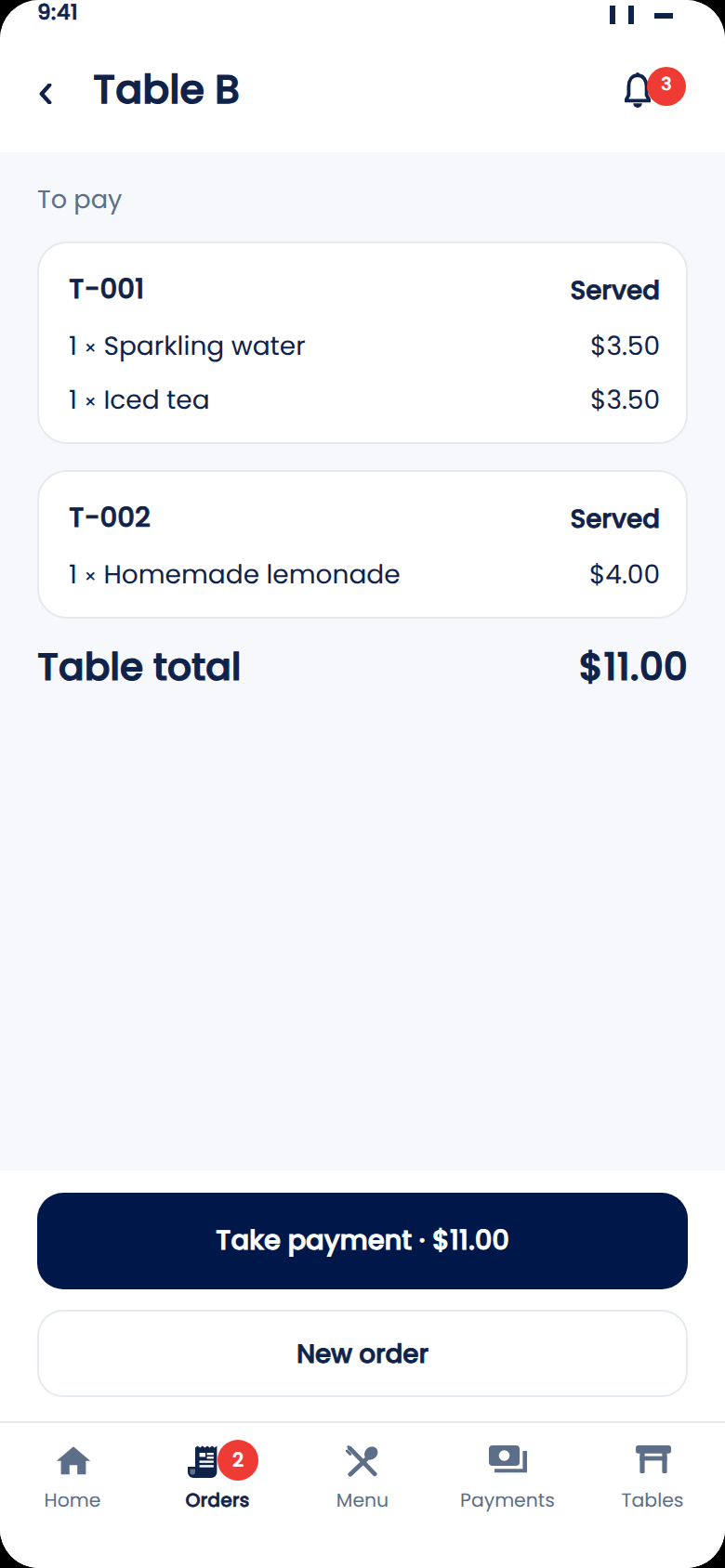
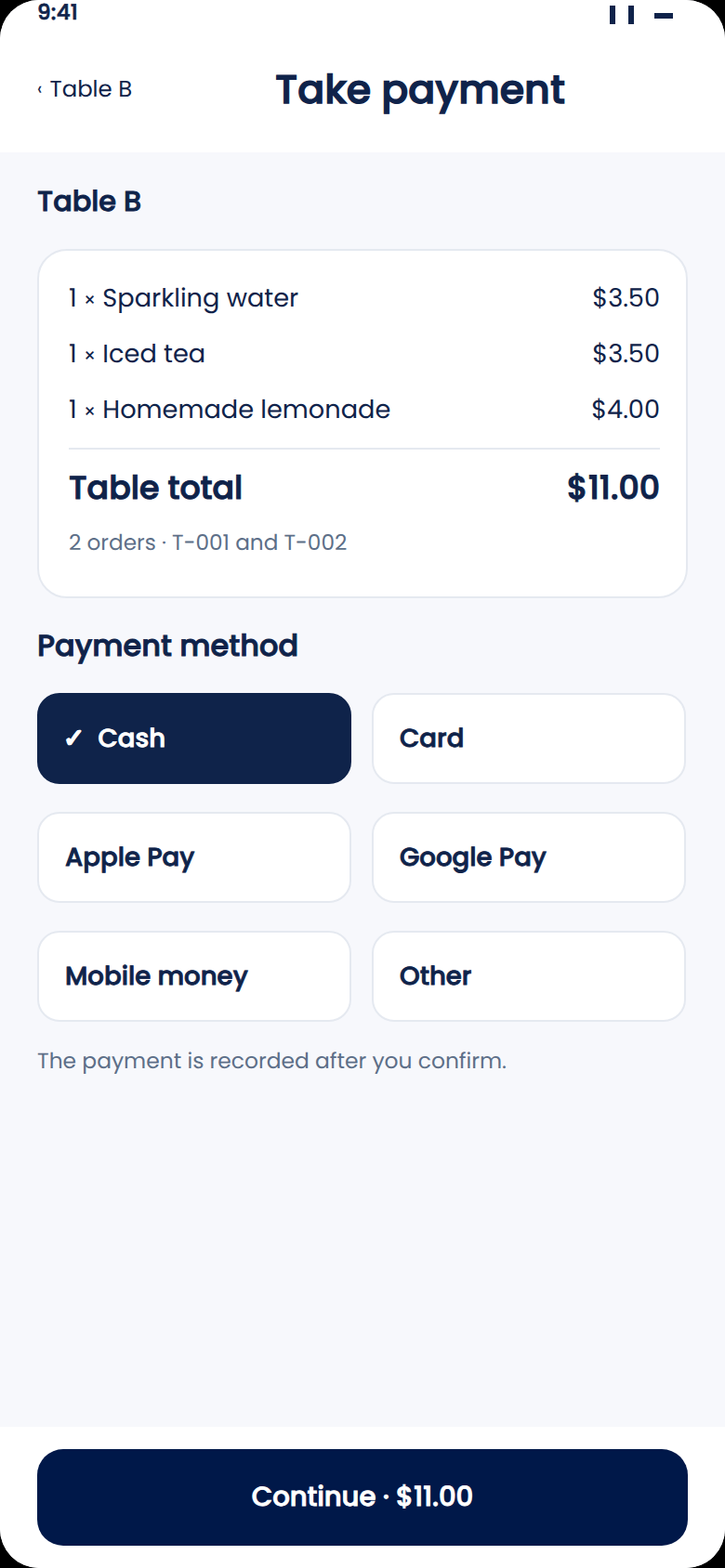
On their phone, servers see which tables are ready to pay. They pick the payment method and the payment is recorded.
What you need to buy
Nothing
Your team's phones are all you need. Zeat opens in the browser, with no register or terminal to install.
From order to payment. Nothing to re-key.
Every order placed by a guest or a server lands in Zeat with its items and prices. When the table's done, the check is already built. No copying from a notepad into a register.
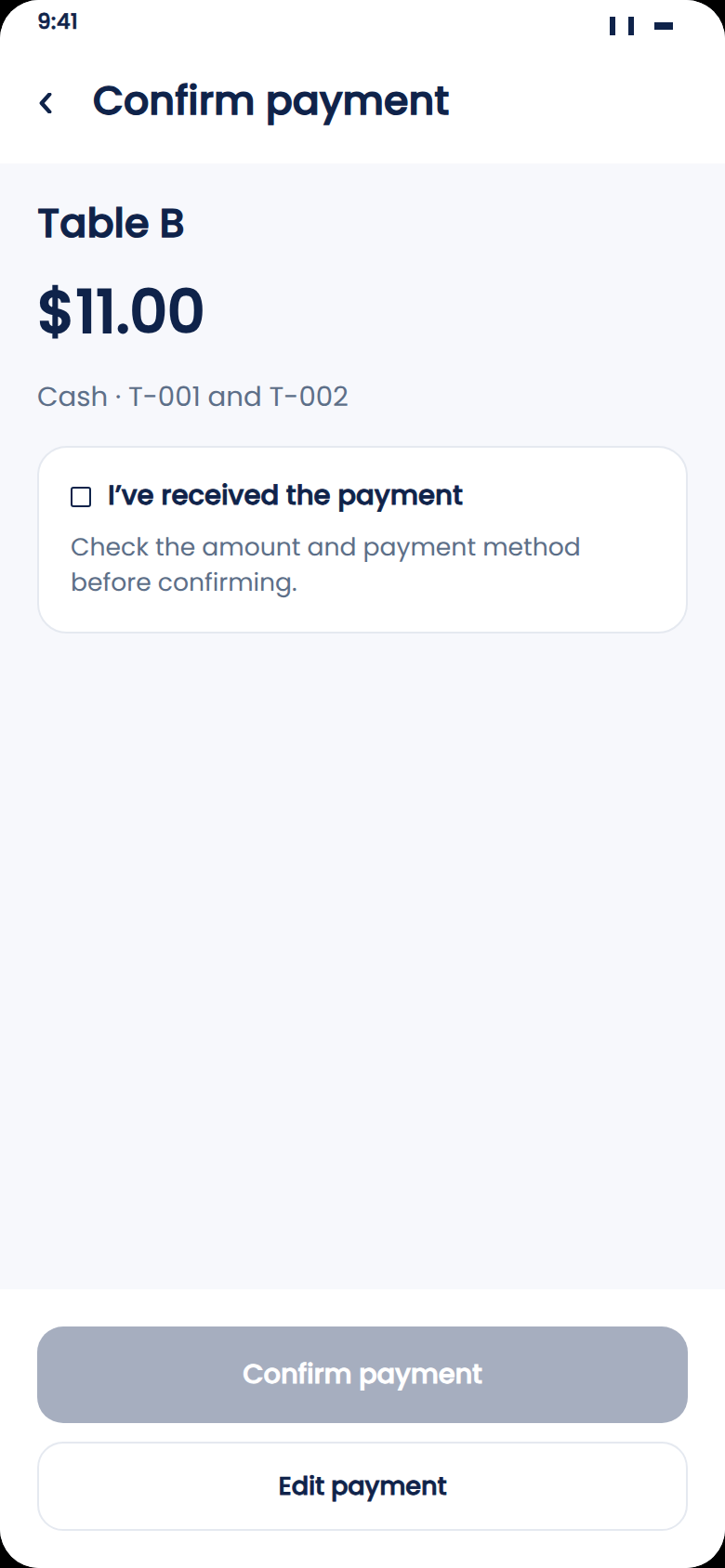
The server opens the table and sees the served orders and the total. They tap "Take payment", choose the payment method, then tick "I received the payment" before confirming. A payment is only recorded after that confirmation.
Take every way your guests pay
Your guests pay the way they're used to: cash, card, Apple Pay, Google Pay or mobile money. Zeat records each payment with its method, so at the end of the shift you know exactly how much came in through each one.
Guests can also pay the check straight from the QR menu, without waiting for a server. You can keep payment with your team, let guests pay themselves, or do both.
If a table orders more after paying, Zeat shows what's already been paid and what's still due, so you only charge the difference.
Close out with the numbers already done
Because every payment is recorded as it's taken, the manager sees the shift's sales live, broken down by payment method, even when they're not on site.
At closing, they compare that total with the cash counted and the amounts received in the card and mobile wallet accounts. Any gap shows up that same night, on the right table, instead of turning up the next day in a notebook.
Your front-of-house POS
Zeat issues the receipt and keeps the history of every payment. For a restaurant, a bistro, a bar or a lounge, it works as the POS for the floor. In a hotel, Zeat runs the restaurant and bar without replacing your property management system.
Already have a POS? Show it to us in the demo and we'll tell you what changes and what you can keep.
See Zeat in action
See Zeat take payments on your own menu
Send a photo of your menu on WhatsApp. Within 24 hours, we'll show you the guest, server and manager experience, all the way to payment.
Your questions, answered
Do I need a register or a card terminal?
No. Zeat runs in the browser on your team's phones, with no register or terminal to install.
Which payment methods can I take?
Cash, card, mobile wallets, or any other method you accept. Each payment is recorded with its method and shows up right away in your daily figures.
Can guests pay on their own?
Yes. Guests pay the check from the QR menu, without waiting for a server.
Does Zeat replace my POS?
Zeat records every payment with its method, issues the receipt and keeps the history. For the dining room, it's your POS. If you use hotel management software, Zeat doesn't replace it.
Keep reading
See payments and the floor live from your phone.
Guests or servers order, and the kitchen gets it instantly.
Show the right amount and confirm payment in front of the guest.
Match card and wallet payments to your checks at close.