Kitchen & bar
The kitchen display system that keeps up with the rush
Whether a guest orders from the table or a server punches it in, the kitchen and bar get it on their phone right away, quantities and notes included. They start prep, tap "Ready," and the server gets an alert with the table to serve.
Published
Inside the Zeat app
What changes on your floor
What you gain
Fewer trips to the pass
Servers stop poking their heads into the kitchen to ask if it's up. They see it on their phone.
What goes away
Lost tickets
No more missing or illegible paper tickets. The kitchen reads the order exactly as it was placed.
For the manager
Every plate on the check
Everything that leaves the kitchen and bar comes from a recorded order. Nothing goes out off the books.
One order, five stages everyone can see
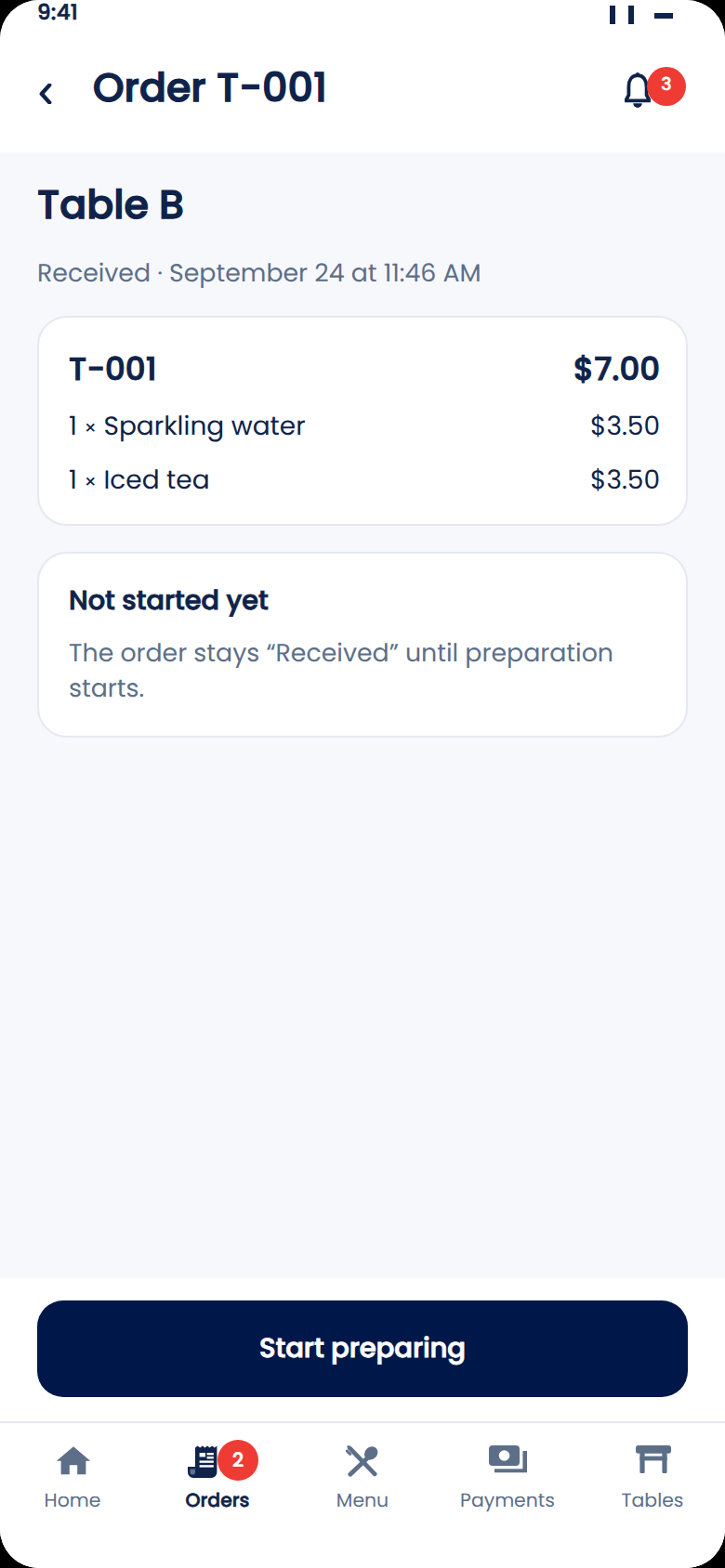
In Zeat, every order goes through five stages: sent, preparing, ready, served, paid. The kitchen, the bar, the server and the manager all see the same order at the same moment, each on their own phone.
Example: table 01 orders two grilled chicken plates with fries, a homemade lemonade and a sparkling water, no onions, sauce on the side. The kitchen and bar see the items and the note. When everything is ready, the server sees "Prep complete" and serves the table.
A kitchen screen that shows only what matters
Each order arrives with its table, its number, its items and the guest's notes. It stays "Received" until the kitchen taps "Start prep", then moves to "Ready" once everything is done.
No long training needed. Everyone sees only what they have to do right now.
Servers know the moment it's up
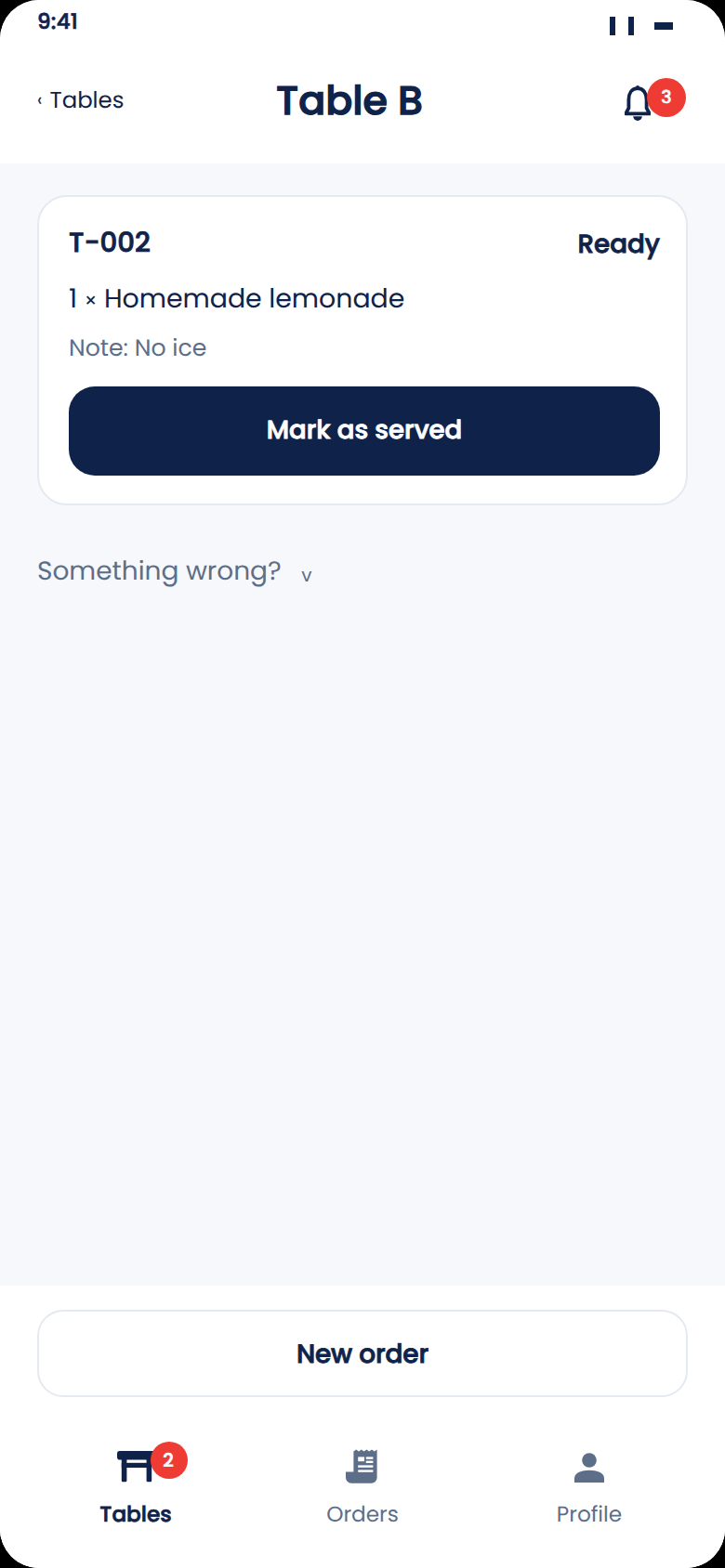
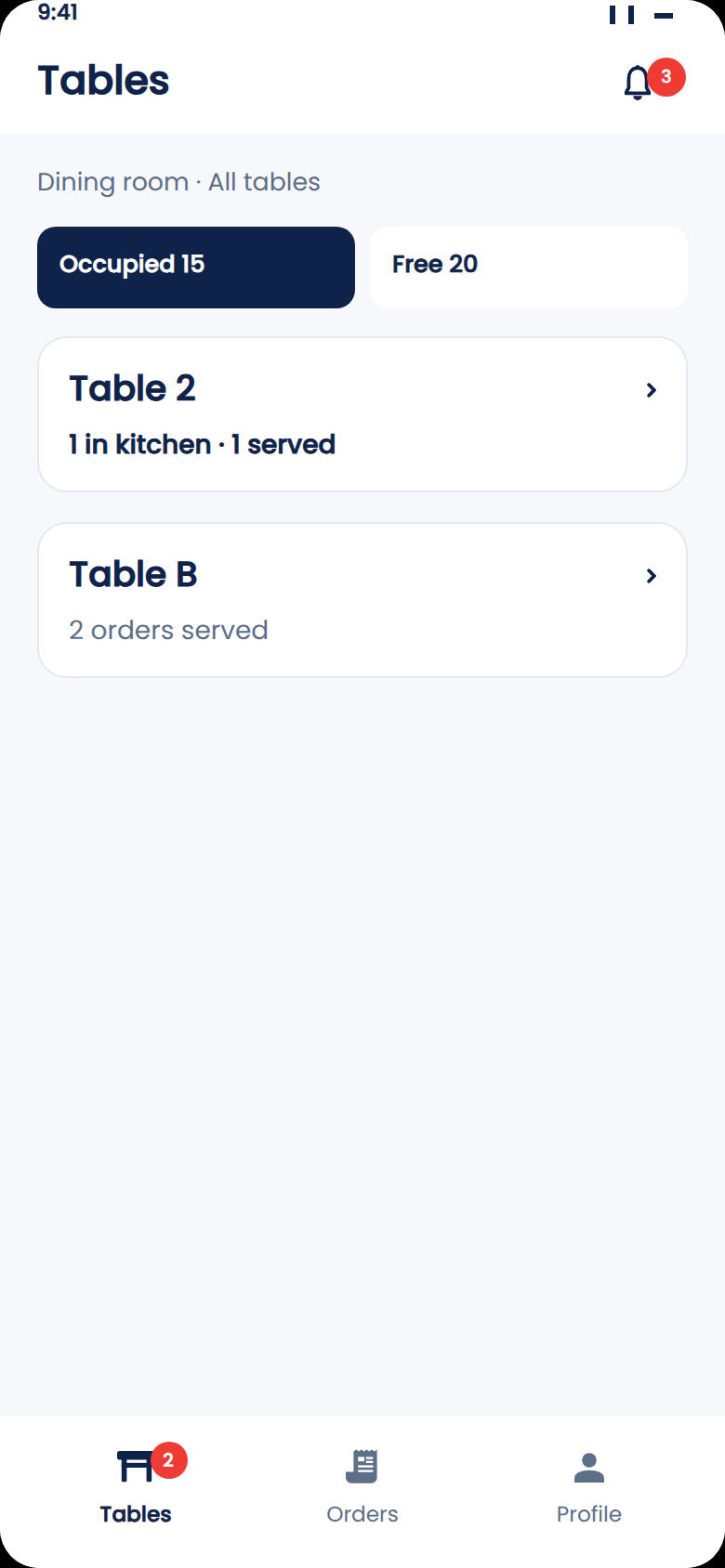
As soon as an order is ready, the server gets an alert on their phone. They see the order and the guest's note, such as "no ice", and tap "Mark as served" once the table has its food. The manager sees which tables are waiting, live.
All you need to get started
One phone in the kitchen, another at the bar, and your servers' phones. Zeat runs in the browser. Nothing to install, no special screen to buy.
Send us a photo of your menu on WhatsApp. Within 24 hours, your restaurant and team are live on Zeat.
See Zeat in action
Watch an order go from table to kitchen
Send a photo of your menu on WhatsApp. We'll show you the full flow with your own dishes: ordering, kitchen, bar, service and payment.
Your questions, answered
Do I need to buy a kitchen screen?
No. A phone is enough in the kitchen and at the bar. Zeat opens in the browser, with nothing to install.
What if a guest doesn't order on their phone?
The server takes the order at the table on their own phone, in Zeat. It goes to the kitchen and bar the same way.
Does the kitchen see the guest's notes?
Yes. Notes entered with the order, like "no onions" or "sauce on the side", show up with the items.
Keep reading
Guests or servers order, and everything goes to the kitchen.
Organize your drinks menu and bar service.
Every payment recorded, from service to closing.
Floor, kitchen and bar in sync. No double entry.